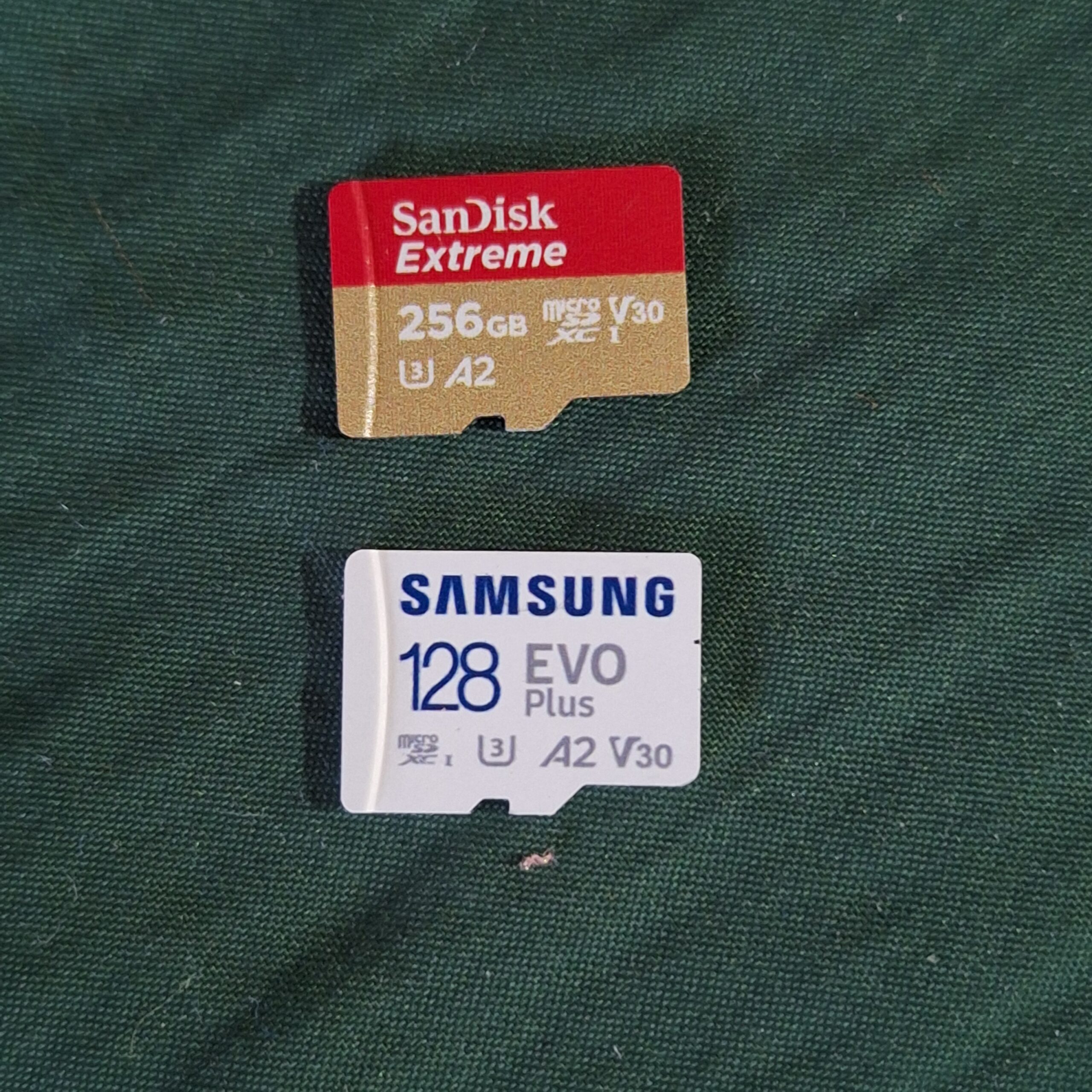
Setting off for the shops this morning with one specific mission: picking up a fresh batch of SD cards. While everyone seems to be moving towards Google Photos or iCloud subscriptions these days, Mai and I have decided to stick with the ‘old school’ physical route for our travel memories. Here’s why we believe physical storage is still the king of the road.
🇯🇵 この記事を日本語で読む: [旅行の写真はSDカード保存が正解?クラウドを使わない理由と失敗しない選び方]
Why We Quit Subscribing to Cloud Storage (Google Photos & iCloud)

The “Island Connection” Struggle
- GoPro 4K video uploads over patchy Wi-Fi in remote areas like the Banda Islands or Raja Ampat is a neverending job!
We’ve been spending a lot of time lately snorkelling around remote islands in Indonesia. Capturing 4K footage on a GoPro is brilliant, but trying to upload those massive files to the cloud over patchy island Wi-Fi? A total nightmare. It drains the battery and takes ages. With an SD card, the ‘upload’ is instant—you just swap the card and you’re done.
The Subscription Trap
- It’s about the long-term cost-effectiveness of a one-time purchase vs. monthly fees.
Cloud services feel cheap at first, but they are a ‘forever’ expense. Once you’ve stored terabytes of travel content, you’re essentially locked in. If you ever want to cancel, moving that mountain of data elsewhere is a Herculean task. We’d rather own our storage upfront than rent it indefinitely.
SD Card vs. Cloud Storage: The Ultimate Comparison for Content Creators
The Pros: Speed and Control
- Zero Latency: Transferring files directly to our Samsung tablet is lightning fast compared to any cloud sync.
- One-time Cost: No monthly bills. We buy the card, and it’s ours.
- Offline Peace of Mind: We can back up our footage in the middle of a forest or a desert without needing a single bar of signal.
The Cons: Size and Durability
The biggest risk is obviously losing the tiny things. We solve this by using a dedicated waterproof hard case. We also treat our YouTube channel and travel blog as our “final backup.” Once the video is edited and live, it’s safely hosted on Google’s servers anyway!
Our “Double Backup” Strategy: From SD Card to YouTube
One of the most common arguments for cloud storage is “What if you lose your SD card?” It’s a fair point. However, our strategy doesn’t end with the physical card. We use a “Double Backup” method that turns our creative work into a permanent safety net.
Why Publishing is the Best Form of Archiving
For us, YouTube and our Travel Blog are more than just platforms to share our journeys—they are our permanent off-site backups.
Think about it: when we edit a video and upload it to YouTube, we are essentially moving the “final masterpiece” onto Google’s world-class servers for free. Even if a lightning strike fried every SD card in our house, our travel memories are safely hosted in the cloud, accessible from anywhere in the world.
The same goes for our blog. By selecting the best photos and writing down the stories, we are archiving the essence of the trip. RAW files are great, but the edited version is what we actually want to keep forever. Publishing forces you to organize your data, and that organization is the best form of insurance.
Must-Have Accessories: The “Ziploc” Waterproof Hack & Fast Card Readers
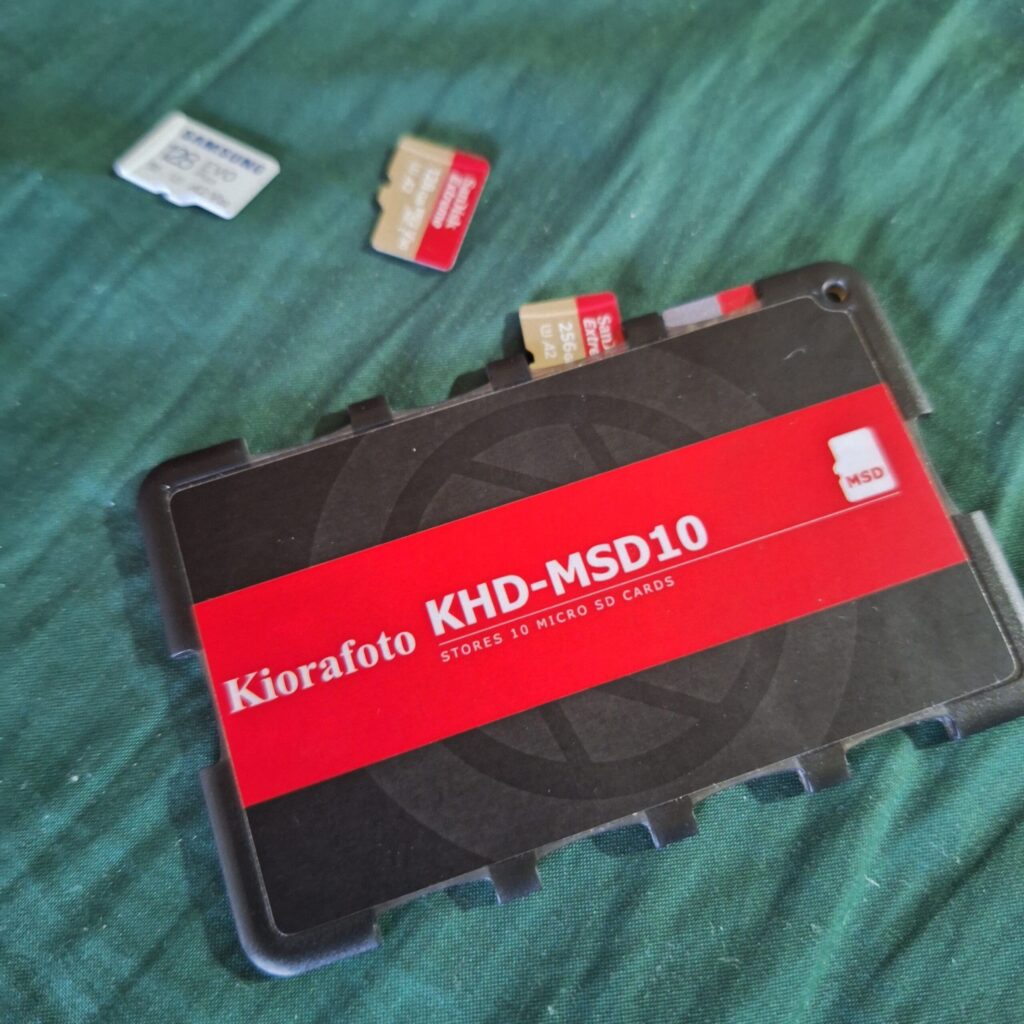
To make this physical-first workflow work, you need the right gear to protect and move your data. Here is what we never travel without:
- SD card case: You don’t need a bulky, expensive tactical case to keep your data safe. Mai’s pro-tip? The humble Ziploc bag. We keep our SD cards in lightweight plastic organizers and slide them into a high-quality Ziploc bag. It’s a 100% waterproof, ultralight, and “zero-bulk” solution. In the humid environments of Indonesia or on a rainy hike, this simple hack gives us total peace of mind without adding unnecessary weight to our camera bags.
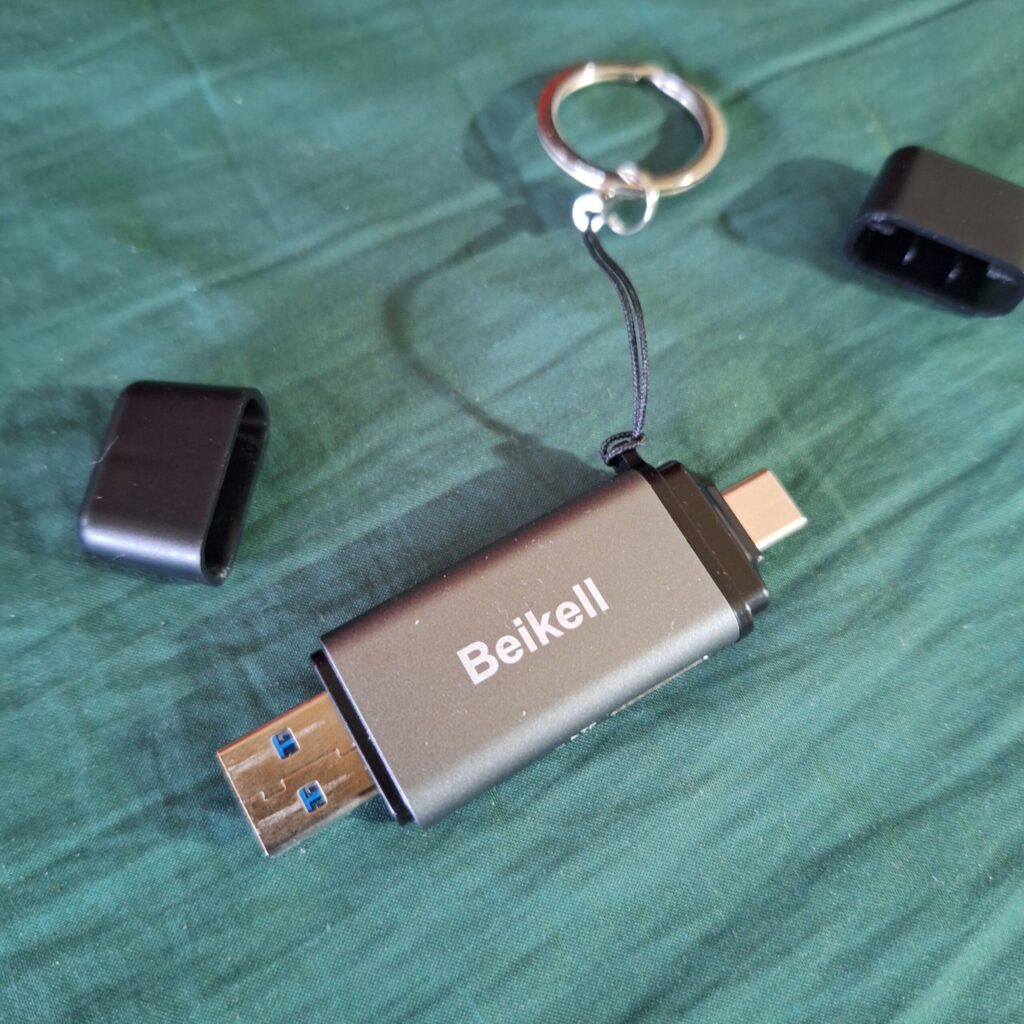
- High-Speed USB-C Card Reader: To get those massive 4K files onto our Samsung tablet or laptop, a slow reader is a bottleneck you don’t want. We currently use a UHS-I reader, but we may buy UHS-II compatible reader in the future (a UHS-I reader is working well, though). It’s tiny, fits in a pocket, and allows us to start editing our daily vlog over a coffee at the end of the day without waiting hours for a transfer.
By combining the immediate speed of SD cards with the permanent security of YouTube, we get the best of both worlds without the monthly subscription sting.
How to Choose the Best SD Card for Travel Photography & Video
Picking a card isn’t just about finding the cheapest one on the shelf. If you’re pushing your gear to the limit—like we do with our GoPro underwater or during long transit vlogs—you need to understand the specs. Here’s the breakdown of what actually matters.
Capacity Guide: Is 128GB or 256GB Enough for 4K?
When you’re shooting in 4K at high frame rates (like 60fps), the file sizes are massive because of the high bitrate. Bitrate is essentially the amount of data processed per second; the higher it is, the better your video looks, but the more space it occupies.
- 128GB Card: Expect roughly 4 to 5 hours of 4K/60fps footage. This is usually fine for a weekend getaway or if you’re disciplined about offloading data daily to a tablet.
- 256GB Card: This is our “sweet spot.” It holds about 8 to 9 hours of 4K video. It gives us the freedom to film for several days without worrying about running out of space in the middle of a boat trip or a hike.
Understanding Speed Classes: What are V30 and A2?
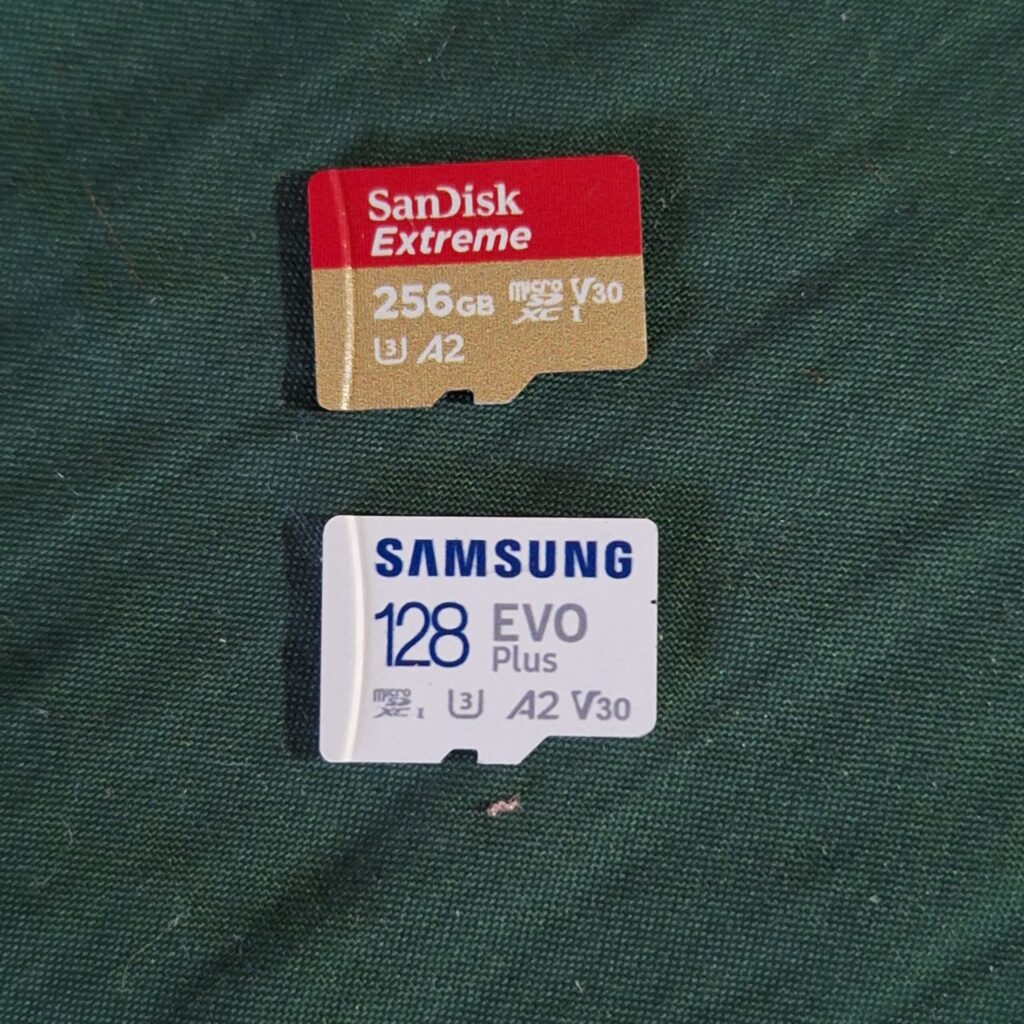
You’ll see a bunch of cryptic logos on the front of the card. For modern travel filmmaking, two are non-negotiable:
- V30 (Video Speed Class 30): This guarantees a minimum sustained write speed of 30MB/s. Why does this matter? If your card can’t keep up with the camera’s data output, the recording will simply stop, or worse, the file will become corrupted. For GoPro 4K or drone footage, V30 is the gold standard for stability.
- A2 (Application Performance Class 2): This one is specifically for those of us using tablets (like our Samsung Galaxy Tab) for editing. It means the card is optimized to handle “random” read/write tasks quickly. An A2 card makes scrubbing through a timeline and launching editing apps significantly smoother.
Top Recommended Brands: SanDisk Extreme Pro vs. Samsung PRO Plus
We’ve tested a lot of cards in extreme conditions—from the humidity of Indonesia to the winds of Central Asia—and these are the two we trust:
- SanDisk Extreme Pro: The industry classic. It’s incredibly reliable and handles high-speed bursts of photography and 4K video without a hiccup. It’s our go-to for the GoPro.
- Samsung PRO Plus: This is a fantastic alternative, often offering slightly better value for the price. It’s exceptionally durable (waterproof, X-ray proof, and drop-proof), making it a great “adventure card.” We’ve found its performance on Android-based tablets to be top-tier thanks to its excellent A2 integration.
Never buy your SD cards from sketchy third-party sites. Fake cards are rampant and often fail when they hit 20% capacity. Stick to reputable tech retailers to ensure your memories are actually being saved!
Conclusion
At the end of the day, it’s all about what lets you focus on the journey. For us, having that physical card in hand—ready to be edited into our next video or blog post—provides a level of security and freedom that a subscription just can’t match. Happy shooting, and see you on the next trail!


Comment