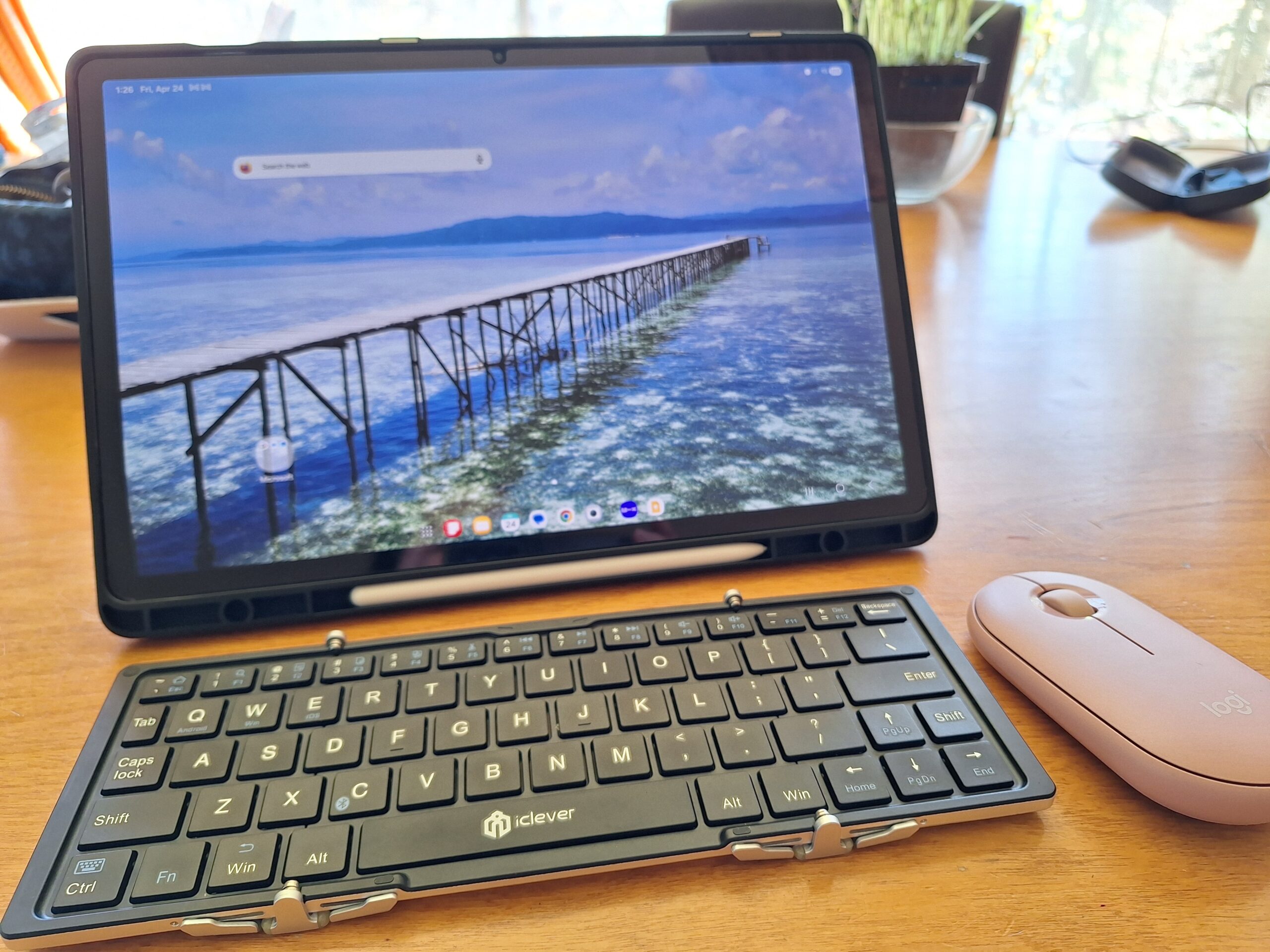
“My hand is really starting to ache.”
Mai said this whilst she was deep into updating our old travel posts on her Samsung tablet. We love the portability of tablets for our travel blog, but long hours of touchscreen editing—scrolling, highlighting, and tapping—had finally caused a noticeable strain in her hand.
We realised that while a tablet is brilliant for browsing, serious ‘content auditing’ and rewriting require a more ergonomic solution. We tried using our old USB mice from home, but the messy dongles and cables just didn’t fit our minimalist, carry-on only travel style.
After some serious research into tablet productivity, we decided to pick up the Logitech Pebble Mouse 2 M350s.
In this post, I’ll review why this ultra-slim Bluetooth mouse for travel became the perfect solution for Mai’s hand pain. If you’ve ever felt frustrated by the limitations of a touchscreen or suffered from ‘tablet fatigue’ whilst working on the road, this might be the game-changer you’ve been looking for.
🇯🇵 日本語で読む:タブレットのブログ編集で手が痛い?ロジクール Pebble Mouse 2 M350s レビュー!
The Breaking Point: Why We Needed a Mouse for Tablet Blogging
As you might have seen in our recent review of the Samsung Galaxy Tab S10+, we’ve recently integrated this powerful tablet into our travel workflow. Whilst it’s a brilliant device for mobile content creation, we quickly encountered a practical challenge as we began using it for more intensive editorial tasks.
Mai’s Struggle with Hand Strain During Content Audits
The issue surfaced when Mai started a major project: content auditing (reviewing and updating our older travel guides). While the tablet is perfect for many things, auditing is a high-precision job. It requires hours of selecting specific strings of text, shifting paragraphs, and managing complex internal links.
After just a few days, Mai admitted, “My hand is really starting to ache.” The repetitive motion of reaching out to tap, hold, and drag on the screen was putting a significant strain on her hand. We realised that for surgical-level text editing, a fingertip just isn’t as efficient or comfortable as we needed it to be.
The Limitations of Touchscreen Editing and ‘Gorilla Arm’ Syndrome
Transitioning to a tablet for work taught us a quick lesson about ergonomics. Constantly reaching for the screen leads to what’s known as ‘Gorilla Arm’—the fatigue caused by keeping your arm unsupported while performing touch gestures.
To fix this, we initially tried using an old USB mouse we had at home. However, it didn’t take long to see the flaws in that plan:
- The Dongle Problem: A standard USB mouse requires a USB-C adaptor. It looked clunky, felt unstable, and was one more thing to lose.
- The Minimalism Factor: Our travel philosophy is built on a minimalist, carry-on only approach. Adding extra cables and bulky adaptors went completely against our goal of a streamlined mobile office.
It was clear that to truly make the most of our new Samsung tablet without causing physical strain, we needed a dedicated, wireless, and highly portable solution.
Our Research: Finding the Best Portable Bluetooth Mouse
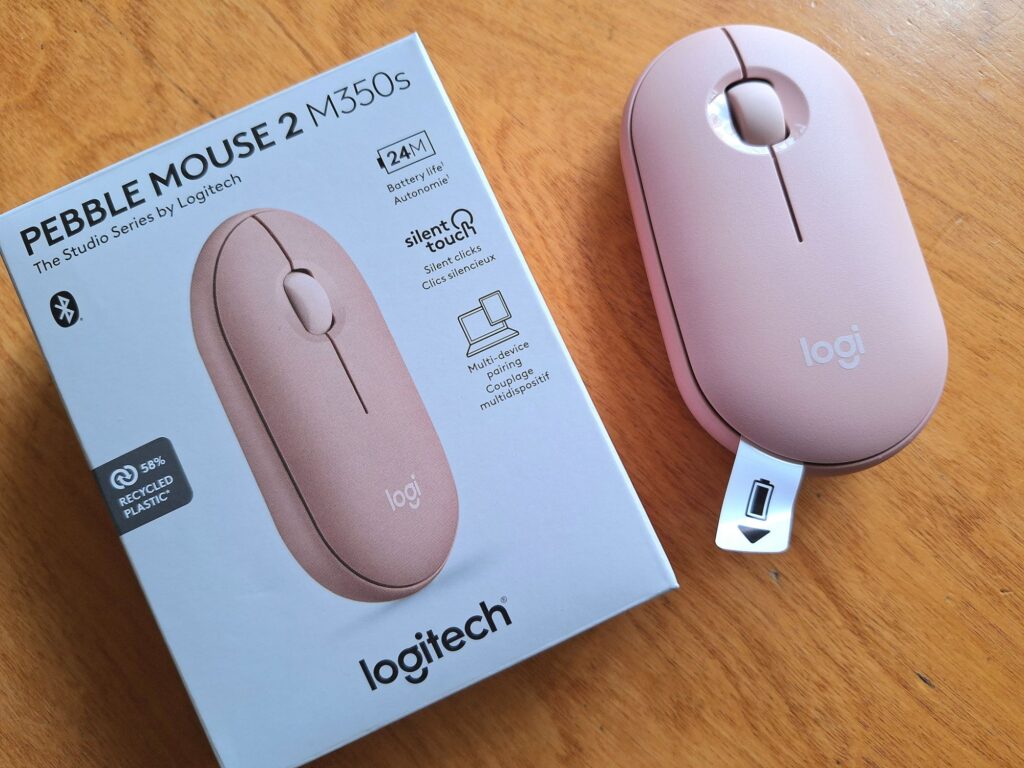
Once we identified the problem, the hunt began for a solution that wouldn’t clutter our bags. We needed a device that felt as modern and nimble as the tablet itself. We spent quite a bit of time scouring reviews and tech specs to find something that met our rather specific criteria.
Why USB Mice and Dongles Didn’t Make the Cut for Our Minimalist Setup
Our first instinct was to save a bit of money and use what we already owned. However, it quickly became apparent that a standard peripheral was a poor match for a nomadic lifestyle.
- The ‘Dongle’ Dilemma: Most reliable mice we had required a USB-A receiver. To use these with a Samsung tablet, you need a USB-C adaptor. It’s a clunky setup that sticks out of the side of the device, making it prone to getting knocked or bent whilst working in tight spaces like aeroplane trays.
- A Tangle of Cables: Even with a wired mouse, you’re adding more ‘spaghetti’ to your kit. Our minimalist, carry-on only philosophy is all about reducing friction, and a mess of cables is the opposite of a streamlined workflow.
Choosing the Logitech Pebble Mouse 2 M350s: First Impressions
After narrowing down our options, the Logitech Pebble Mouse 2 M350s (known simply as the Pebble 2) rose to the top of our list. It seemed to tick every box for a travel blogger:
- Direct Bluetooth Connectivity: No dongles, no wires, and no fuss. It pairs directly with the tablet, keeping the USB-C port free for charging if needed.
- The Slim Profile: Unlike a traditional ‘humped’ mouse, the Pebble is remarkably flat. We realised this would allow it to slide into the smallest pocket of Mai’s gadget pouch without creating a massive bulge.
- Reputable Reliability: Having used Logitech gear for years, we trusted the build quality and the staggering 24-month battery life.
We nipped out to pick one up, and as soon as Mai rested her hand on it, we knew we’d made the right call. It was time to see if this stylish bit of kit could actually handle the rigours of a full blog rewrite.
3 Reasons Why the Pebble Mouse 2 is a Game-Changer for Travelers
After putting the mouse through its paces, we’ve pinpointed exactly why the Logitech Pebble Mouse 2 M350s has earned a permanent spot in our travel kit. For anyone who works on the go, these three features make it a standout choice.
Ultra-Slim and Lightweight Design for ‘Carry-on Only’ Travellers
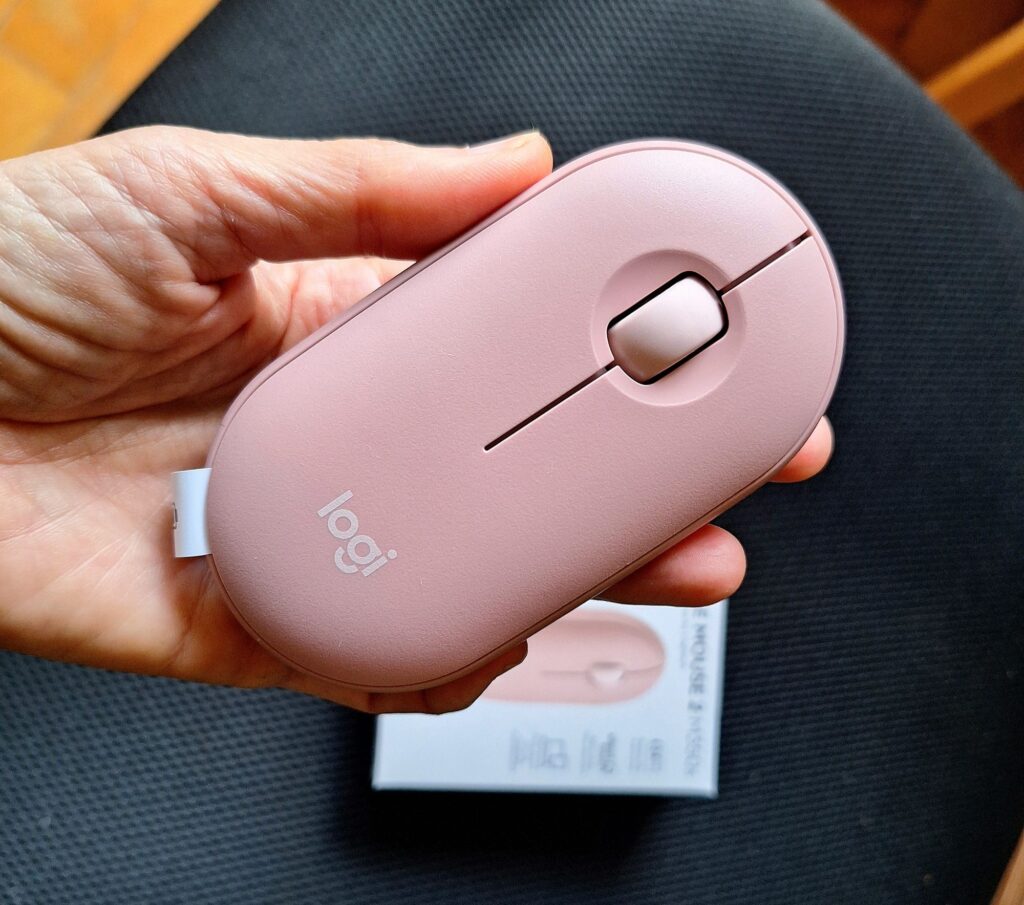
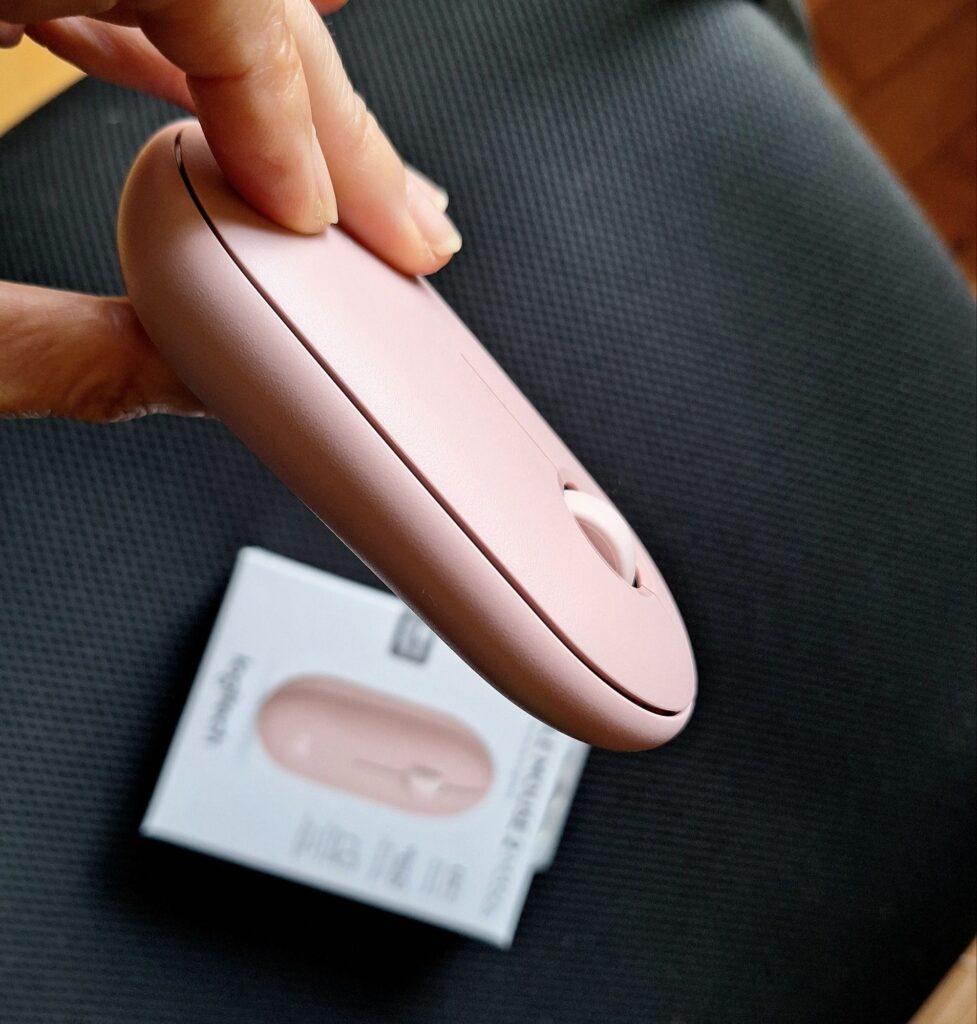
In our world, every gram counts. The first thing you notice about the Pebble 2 is just how incredibly sleek it is. It’s remarkably thin, meaning it doesn’t have that awkward ‘bulge’ that most mice have.
It slides into the smallest pocket of a gadget bag as easily as a smartphone, which perfectly aligns with our goal of keeping our gear as minimalist and mobile as possible. Weighing in at just 76g (including the battery), it adds virtually no bulk to our bags whilst providing a massive boost to our productivity.
Seamless Multi-Device Switching (Tablet, Phone, and Laptop)
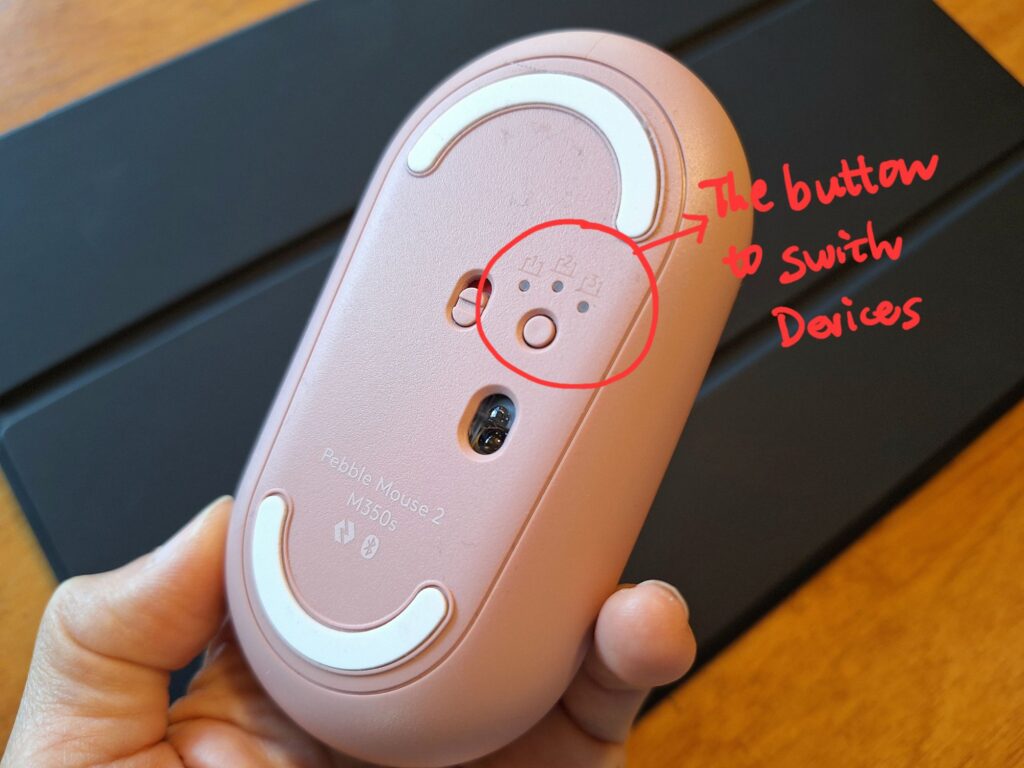
One of the cleverest bits of tech in this mouse is the Easy-Switch feature. You can pair the Pebble 2 with up to three different devices via Bluetooth and hop between them with a quick tap of the button on the underside.
For us, this is brilliant. Mai can be mid-rewrite on her Samsung tablet, then quickly switch to her phone to reply to a comment or check a photo in our gallery. It eliminates the faff of constant re-pairing and allows her to manage multiple platforms without ever having to take her hand off the mouse.
Silent Clicks: Perfect for Cafés and Video Content Creation
As travel bloggers, our ‘office’ changes daily. One morning it’s a bustling airport lounge, the next it’s a hushed, local café. The Pebble 2 features Logitech’s Silent Touch technology, which reduces click noise by over 90%.
This is a massive plus for two reasons. Firstly, we can use it in quiet environments without feeling self-conscious about disturbing others. Secondly, it’s a lifesaver for our video content. When we are recording screen captures or voiceovers near the workstation, the mouse clicks are so quiet they are hardly picked up by the microphone. It means much cleaner audio for our YouTube channel and less time spent trying to edit out annoying ‘click’ sounds in post-production.
Real-World Performance with the Samsung Galaxy Tab S10+
Since we integrated the Samsung Galaxy Tab S10+ into our travel setup, we’ve been impressed by its power. However, adding the Pebble Mouse 2 was the final piece of the puzzle that turned this tablet from a secondary device into a genuine mobile workstation.
Precision Editing: How a Mouse Speeds Up Blog Post Rewrites
The most immediate change was the sheer speed of Mai’s editing. Whilst the tablet’s touchscreen is excellent for casual use, it can be a bit fiddly for deep-dive blog updates.
With the Pebble 2, tasks that were previously frustrating became effortless:
- Precision Highlighting: No more overshooting the sentence or struggling to grab the text cursor. The mouse allows for pixel-perfect selection.
- Formatting Workflow: Right-clicking to insert links or using the scroll wheel to navigate through long, high-resolution posts is far more efficient than using finger gestures.
- Reduced Hand Fatigue: Most importantly, Mai no longer has to hold her arm in the air to interact with the screen. Keeping her hand rested on the desk has made those long ‘content auditing’ sessions much more comfortable.
AA Battery Powered: A Lifesaver in Remote Locations
One of our biggest bugbears as travel bloggers is ‘charger fatigue’. We already carry cables for our cameras, phones, and tablets, so the last thing we wanted was another device to plug in every night.
The Pebble 2 runs on a single AA battery that lasts up to 24 months. This is a massive win for our minimalist approach, particularly when we find ourselves in more off-the-beaten-track locations. Whether we are on a remote Indonesian island or across the Mongolian steppe, mains power and available plug sockets are often a luxury.
When you only have one working socket in a yurt or a small guesthouse, you don’t want to waste it on a mouse. Having a device that doesn’t require charging gives us one less thing to worry about and ensures we can keep writing even when we are far from a power grid.
A Seamless Integration with One UI
The Samsung tablet handles the mouse input brilliantly. Features like the ‘back’ button functionality and the smooth cursor movement make the experience feel incredibly close to using a traditional laptop. For the first time, we feel like we can leave the heavy laptop behind without sacrificing the precision we need for our travel blog.
Final Verdict: Is the Logitech Pebble Mouse 2 Worth It?
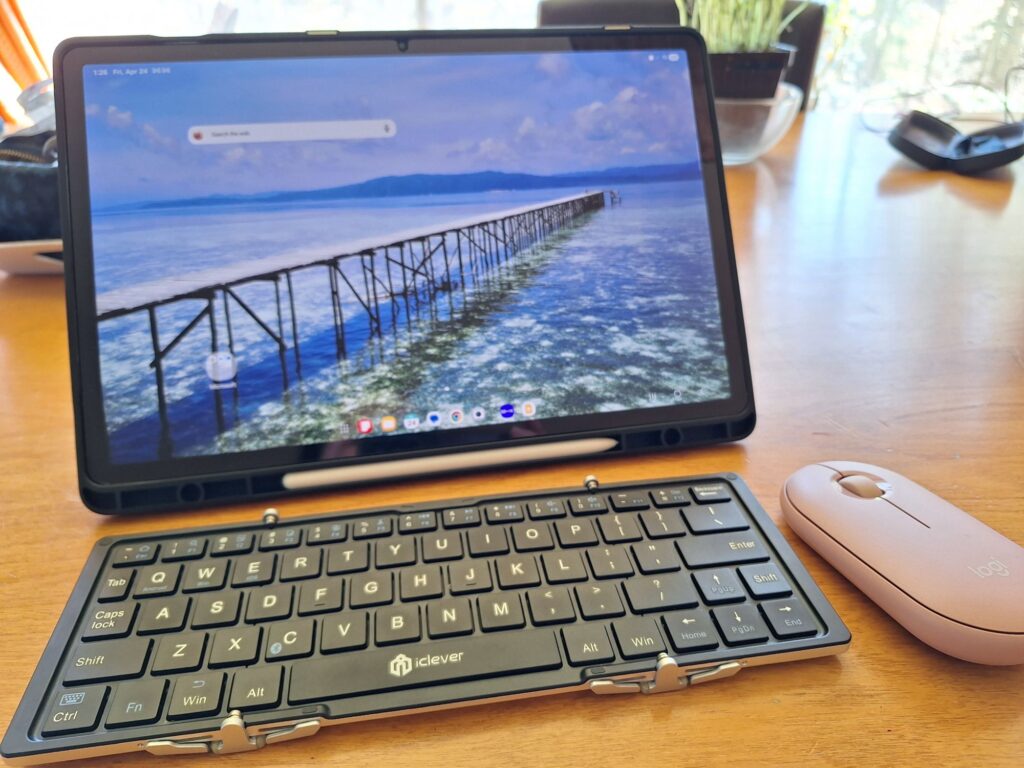
After using the Logitech Pebble Mouse 2 M350s through several intense rounds of blog updates, the answer is a resounding yes. What started as a simple search for a way to ease Mai’s hand pain ended up transforming our entire mobile workstation. It’s rare to find a bit of kit that is this affordable yet makes such a profound difference to your daily productivity.
Improving Productivity and Ergonomics on the Road
The primary goal was to fix the physical strain of long-form editing, and the Pebble 2 has delivered brilliantly. By moving the interaction from the screen to the desk, Mai has been able to work for longer stretches without the nagging ache in her hand.
It has proven that you don’t need a bulky, “ergonomic” vertical mouse to find comfort; sometimes, simply having a lightweight, responsive tool that allows for a natural hand position is enough to do the trick. The precision it offers over a touchscreen has turned “dreaded” rewrite sessions into a much more streamlined and enjoyable process.
A Must-Have Gadget for Digital Nomads and Travel Bloggers
For anyone living the nomad lifestyle or just trying to get more done on a tablet, this mouse is a bit of a “no-brainer.” It perfectly balances the trade-offs that travellers usually face:
- Portability vs Functionality: It’s thin enough for a pocket but precise enough for professional work.
- Style vs Durability: It looks sleek next to the Samsung tablet but feels sturdy enough to survive being tossed into a rucksack day after day.
- Independence: The AA battery power means we are never hunting for a charging port in a crowded airport or a remote guesthouse.
If you’ve been struggling with the limitations of a touchscreen or finding that your hand is feeling the strain of a “tablet-only” workflow, we highly recommend making the switch. For a very small investment, you’re not just buying a mouse—you’re buying the freedom to work comfortably from anywhere in the world.
What’s Next?
Now that the hand pain is sorted and the mobile office is complete, we’re back to the fun part: sharing more stories from the road. If you’re curious about the rest of our kit, including the Samsung Galaxy Tab S10+ that Mai has been using, stay tuned to the blog as we continue to share our latest travel finds and tips!

Comment